⚠️ KBI - Known Bugs & Issues ⚠️
Please see all issues player can encounter:
❗CURRENT ISSUES:
Hello there, dear Diggers!
We have brief scheduled Portal and Web maintenance coming up, during which the game itself on Portal will also be affected:
12th Oct 2026 (07:00 – 07:30 UTC) - Web Shop Update
^ During this time, the Web Shop will be offline.
^ You won't be able to make Web Shop purchases, redeem reward codes or claim daily gifts.
This maintenance may be extended if necessary.
14th Oct 2026 (06:00 – 06:30 UTC) - Portal & Login Update
^ The portal page and login services will be offline.
^ You won't be able to play the game on the Portal website, switch accounts, connect accounts, transfer data or redeem reward codes.
This maintenance may be extended if necessary.
However, fear not, as you can continue playing normally in the app without any interruptions.
Thank you for your understanding and Happy Digging!
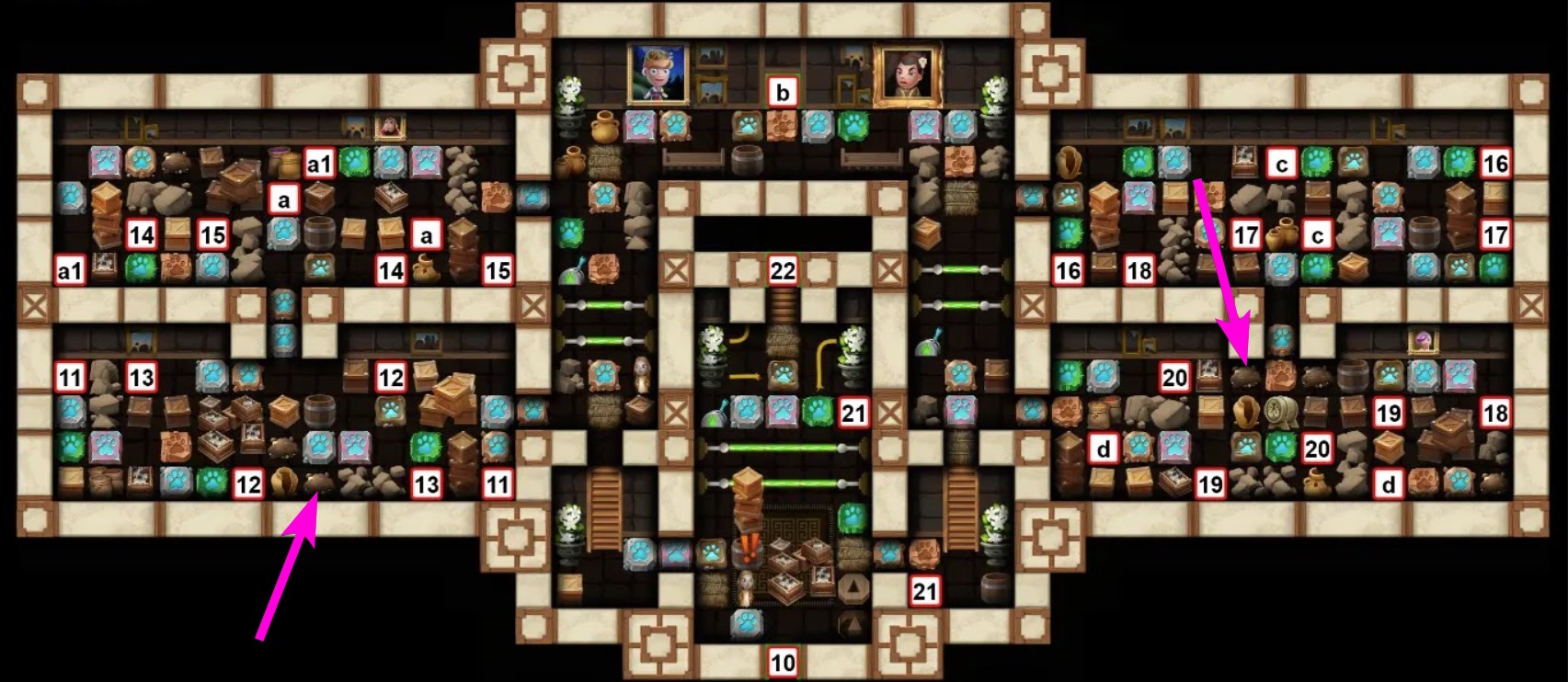
Some players may have difficulty finding the last remaining tile in the Abandoned Villa location (Pet Stories – Chapter 5). The Last Tile Finder may not point towards this tile, making it appear as though it cannot be found.
This is related to a limitation of the Last Tile Finder when detecting certain tiles around pet burrows.
If you are missing the last tile, please check the area shown in the screenshot below carefully. In particular, look for the pet tiles that appear to be covered with dirt, as one of these may be the tile you are missing.
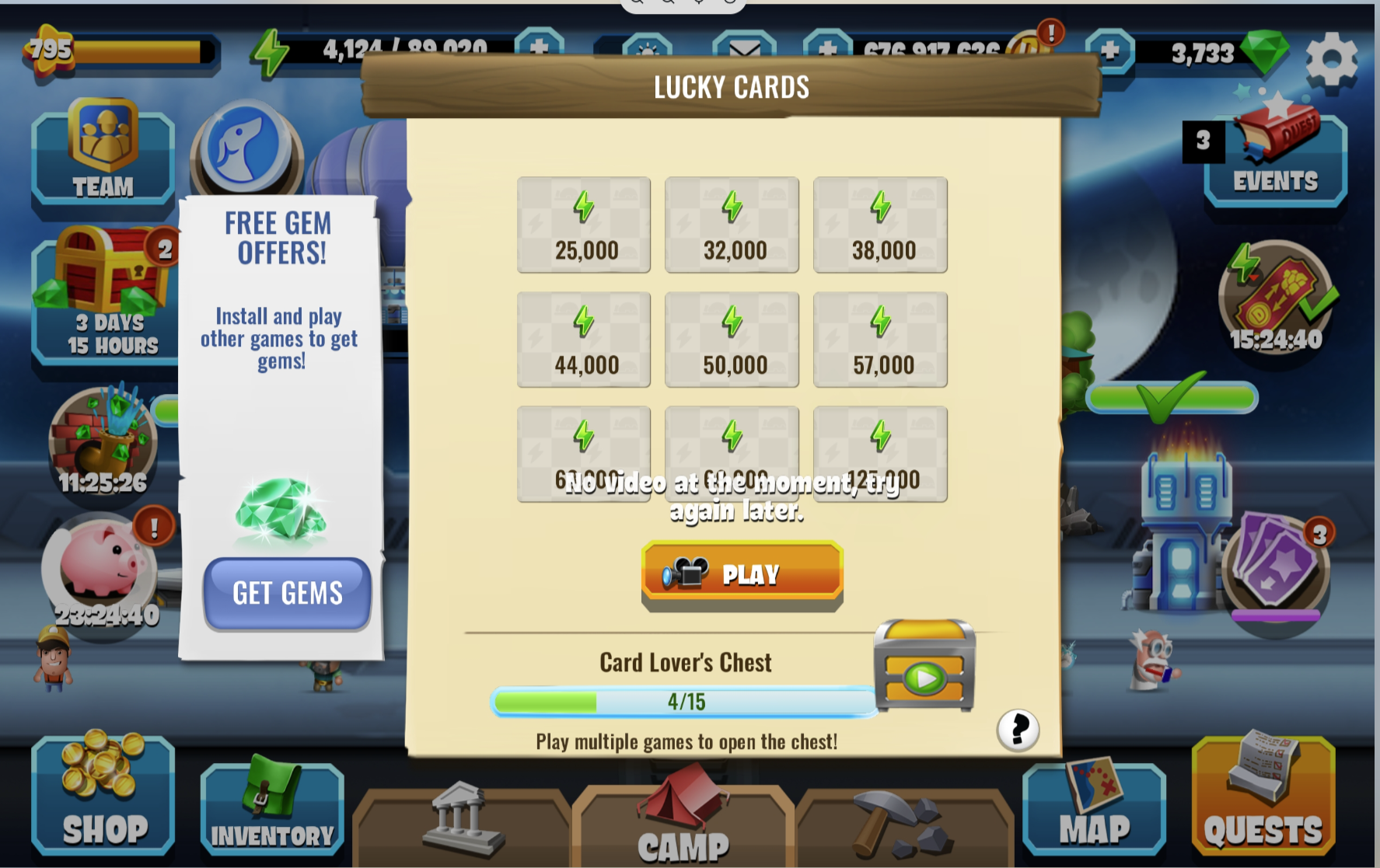
Players might encounter a "No video at the moment. Try again later." notice when interacting with Lucky Cards.
This means that no video is currently available to be watched. You can try waiting for up to a minute- an ad should load by then or you can try some of the troubleshooting steps below:
📱 Step-by-Step for Android
Clear app cache: Go to Settings ➡ Apps ➡ select your game ➡ Storage ➡ tap Clear Cache. Do not click clear data, as this might delete game progress if not backed up.
Reset Advertising ID: Go to Settings ➡ look up the word Ads ➡ tap Reset advertising ID. This refreshes your profile with the ad networks.
Disable Private DNS: Go to Settings ➡ Network & internet (or Connections) ➡ More connection settings ➡ Private DNS and set it to Automatic or Off. Custom DNS servers often block ad providers.
🍏 Step-by-Step for iOS
Allow tracking: Go to Settings ➡ Privacy & Security ➡ Tracking ➡ ensure Allow Apps to Request to Track is turned on, and enabled specifically for your game. If blocked, ad networks cannot serve personalized reward videos.
Offload the app: Go to Settings ➡ General ➡ iPhone Storage ➡ select the game ➡ tap Offload App. Then, tap Reinstall App. This clears temporary files without deleting your local game data.
Disable iCloud Private Relay: Go to Settings ➡ [Your Name] ➡ iCloud ➡ Private Relay and turn it Off. This feature can sometimes mask your location too strictly for regional ad delivery.
💡 Universal Fixes for Both Systems
Switch networks: Toggle from Wi-Fi to mobile data, or vice versa. Home routers and public networks frequently run firewalls that block ad-serving domains.
Wait for inventory refresh: Ad networks occasionally run out of available inventory for your specific region or demographic. Allow the app to fully load and leave it running at least a full minute before trying again :)
We hope this helps you out and you are able to play lucky cards again :)
We register an issue with certain players not being able to see their Teams chat. They can still send out or ask for materials but do not see any messages in the chat.
Our team is looking into the issue and looking for a solution.
Thank you for your patience in this matter.