🛠️ What to do when the game logs you out and starts from level 1 🛠️
If the game unexpectedly logs you out of the app, the game starts from the beginning, and it´s necessary to play the tutorial again.
The chances are that if you have made a Pixel ID at any time before, you will have no issue getting back to your game.
(If you don´t recall if you created the Pixel ID, check the process in THIS article, as it may refresh your memory.)
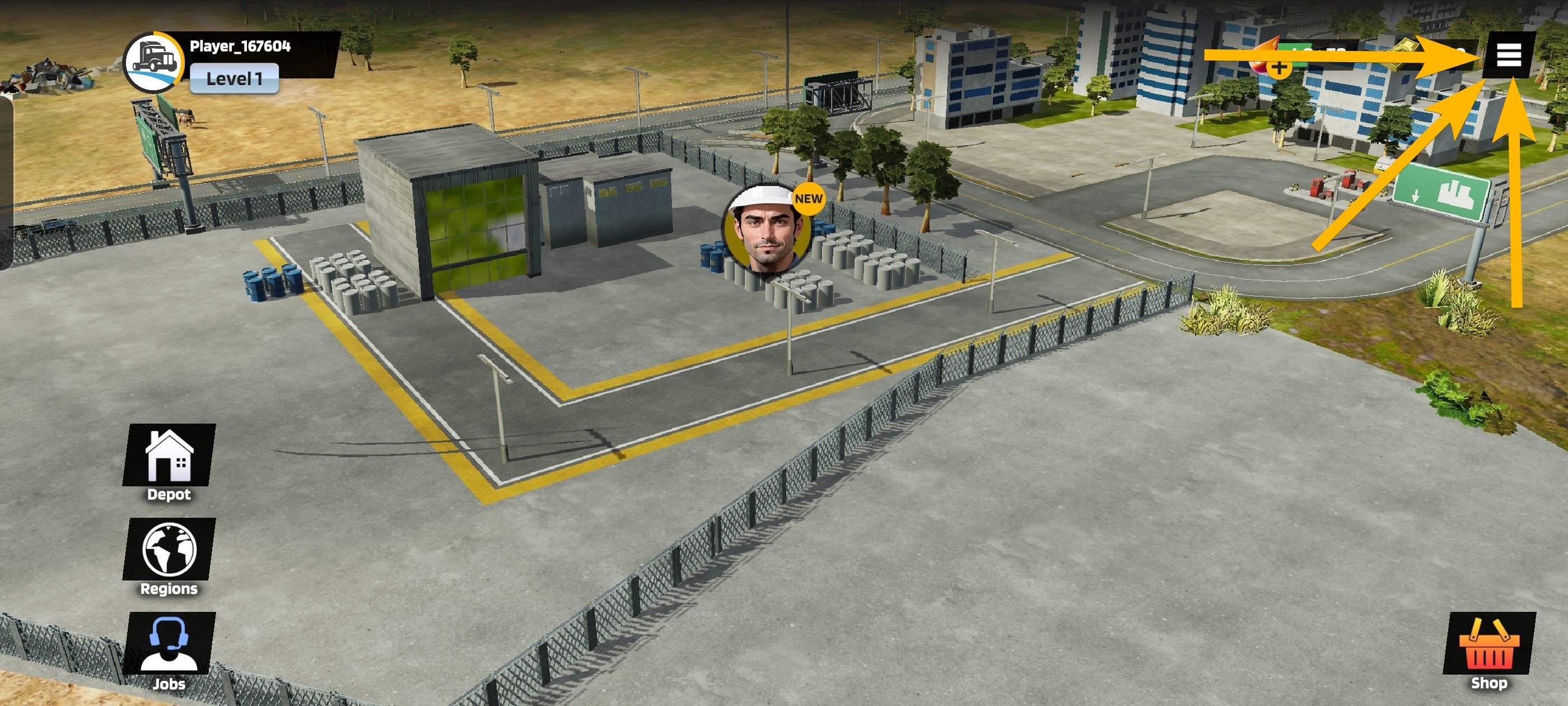
If the Pixel ID was created and connected to your game account with the original game progress, access the Settings by clicking on the three horizontal lines in the upper right corner as soon as the tutorial allows you to.
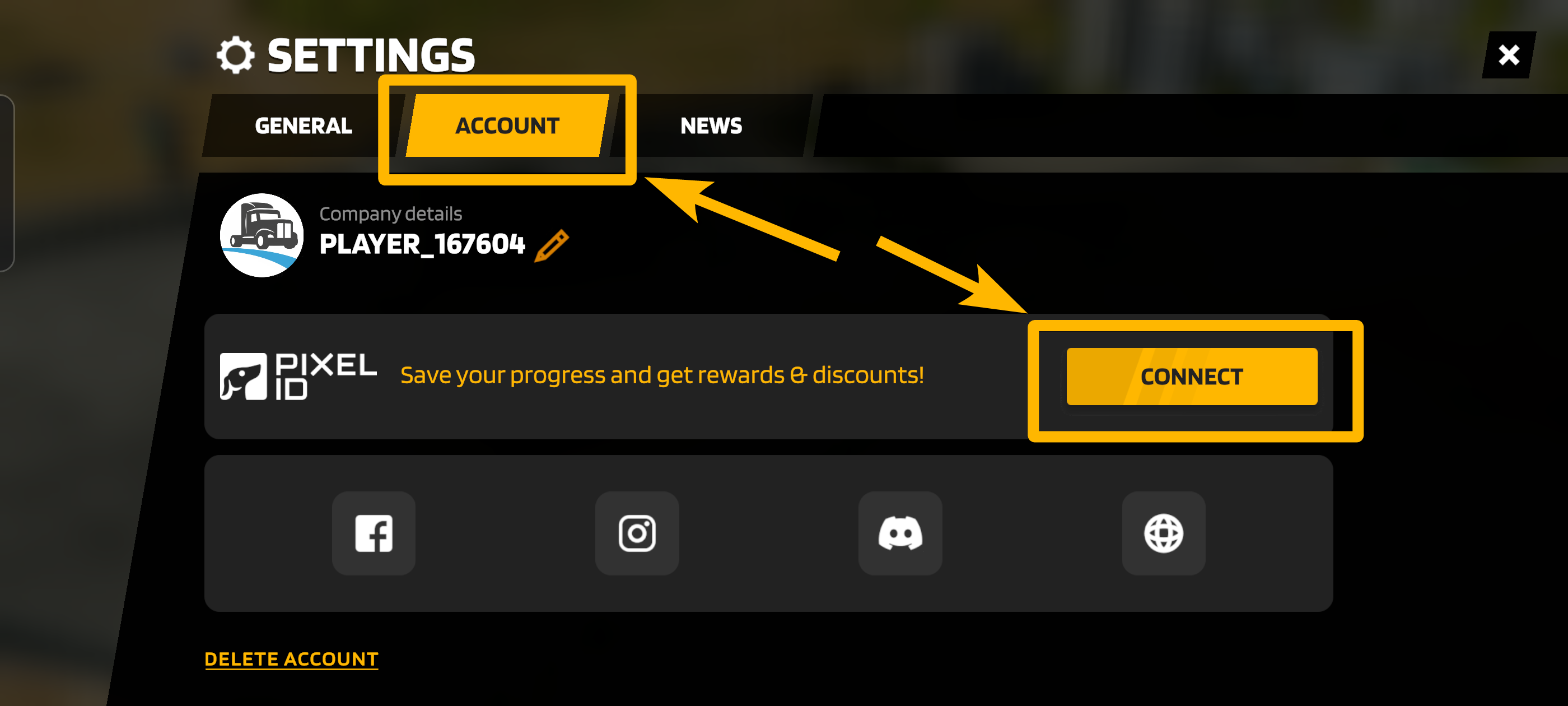
In the Settings, go to the Account tab and hit the Connect button.
In the Pixel ID screen, tap the button Get Started, select the Log In option, and enter your email connected to the game.
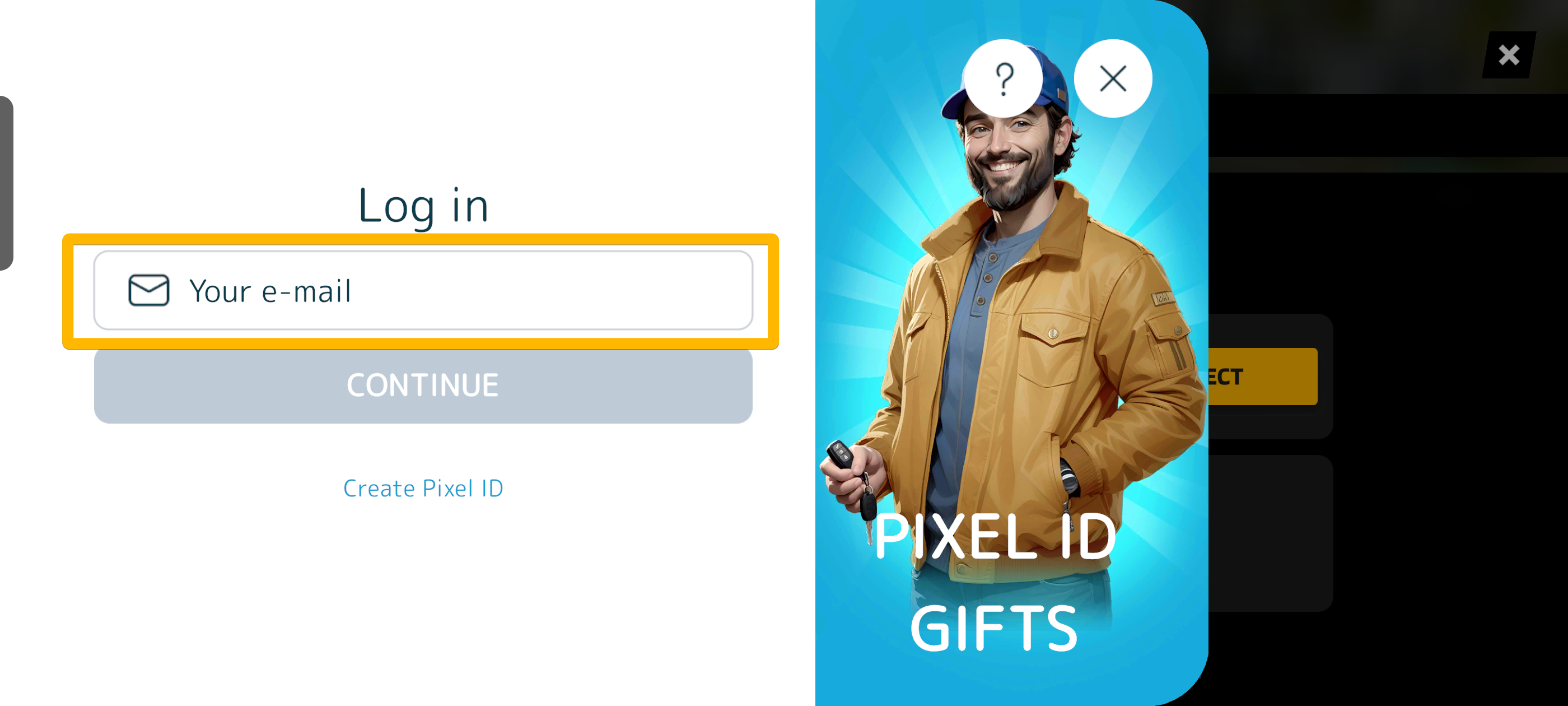
Once the email is typed in, hit the Continue button, and a confirmation email with a verification code will be sent to your email address.
Enter the verification code, hit Continue, and your game should load.
In case your original game doesn´t load, it wasn´t connected to the Pixel ID, and it´s necessary to fill out the form below and send us the information using the Submit button.
🔑 Lost Account Recovery 🔑
Please insert the Player ID of the new game.
(how many gems you had, how much money, if you had any specific trucks, or used any specific customisations such as paint jobs, decals, lights, etc.)