🆔 Player ID
You can find your Player ID in the in-game Settings located in the top-right corner of the screen.

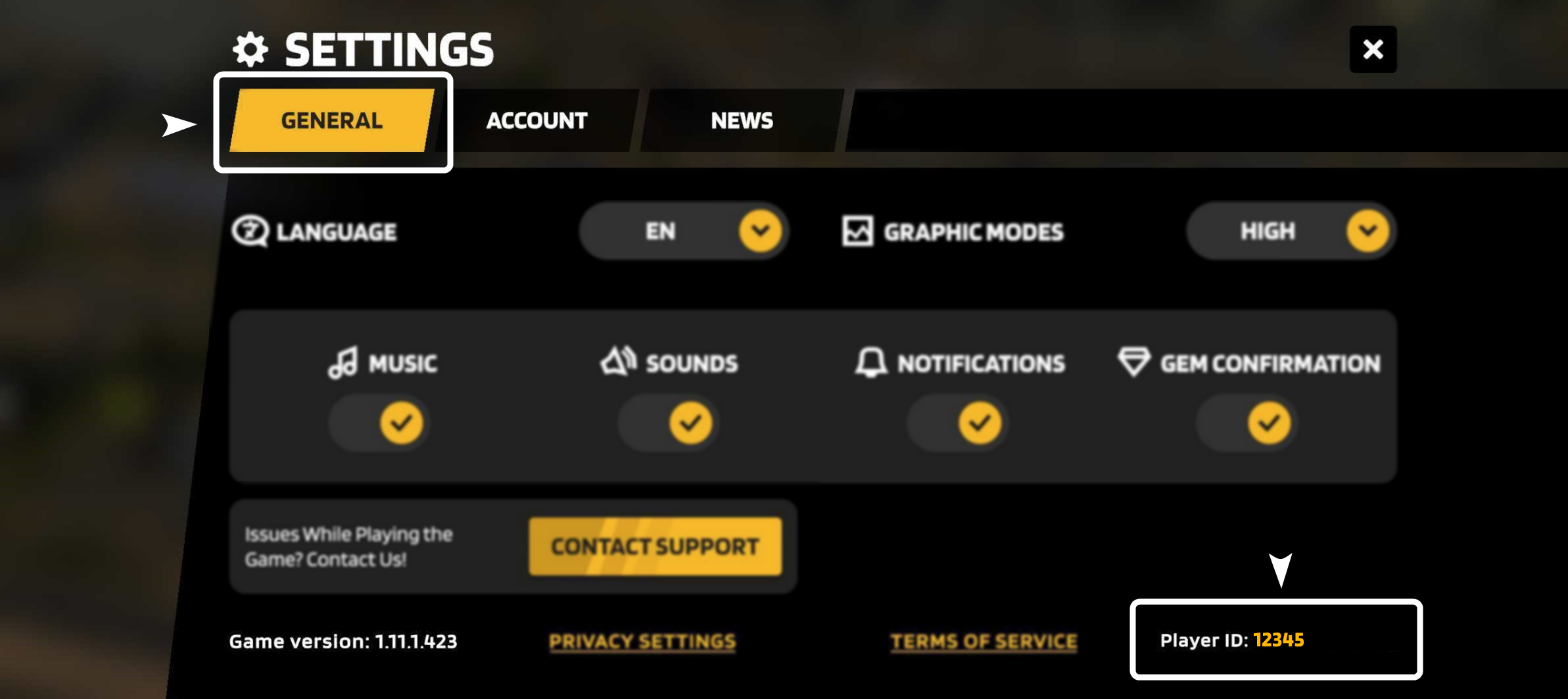
Once you open the Settings, open GENERAL tab and your Player ID will be displayed at the bottom right.
Was this helpful?
You can find your Player ID in the in-game Settings located in the top-right corner of the screen.
Once you open the Settings, open GENERAL tab and your Player ID will be displayed at the bottom right.