👥 Port City Discord
Welcome to the waters of our Discord server Port Managers!
Here you can hoist your sails even higher and chart a course for real-time fun, updates and chats.
🔽 LINK TO DISCORD SERVER 🔽
>HERE<
NOT SURE HOW TO JOIN? INSTRUCTIONS BELOW
If you are NEW to the Discord waters, just scroll down and check out the article below to start your Discord journey!
🔽🔽🔽
HOW TO REGISTER
To register, all you need is a valid email address, and either mobile or tablet device, or a computer/ laptop.
Then, simply click on and head over to >DISCORD PAGE< to get started.
Once you click on it, you will see this screen with options to either download it or open it in your browser.
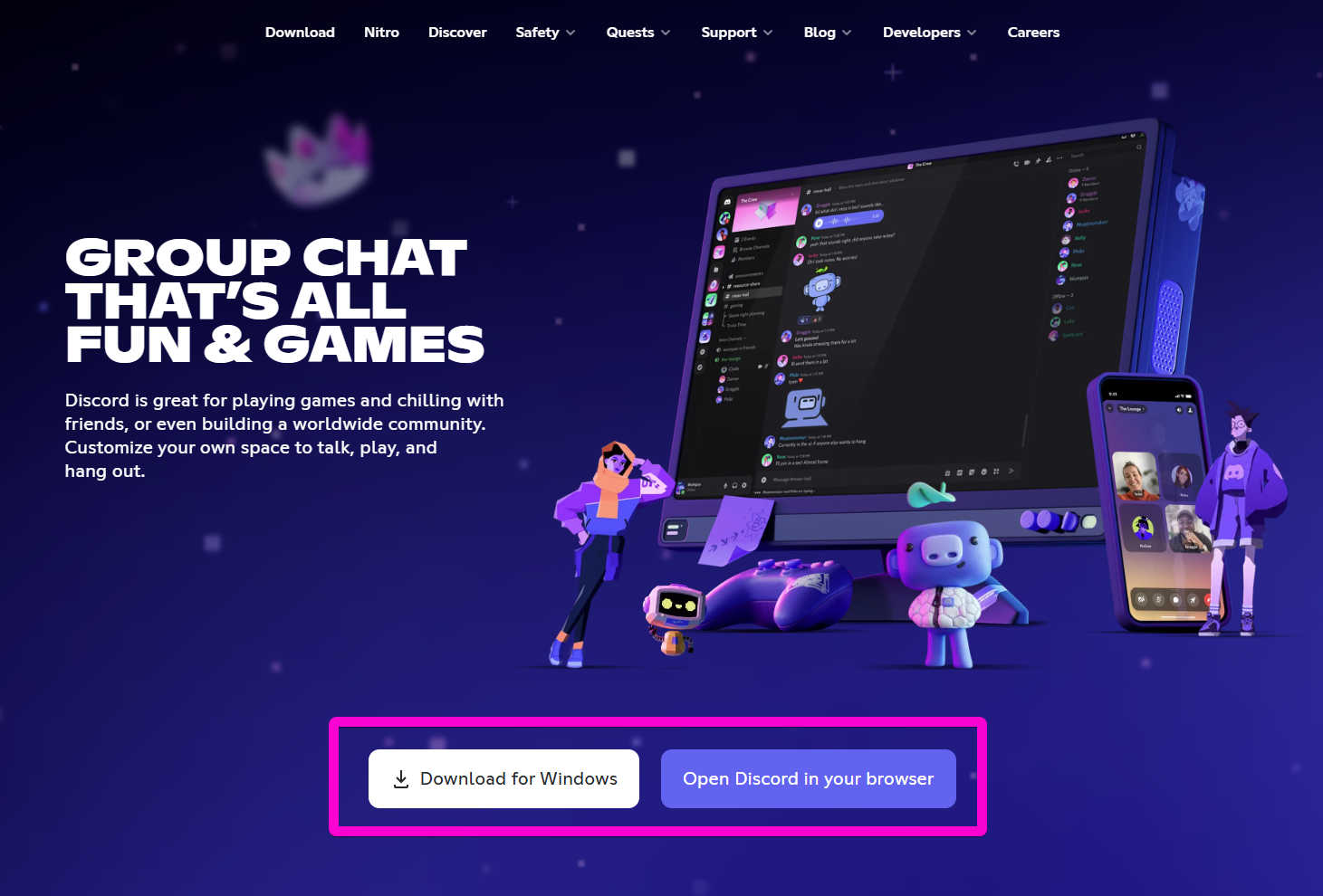
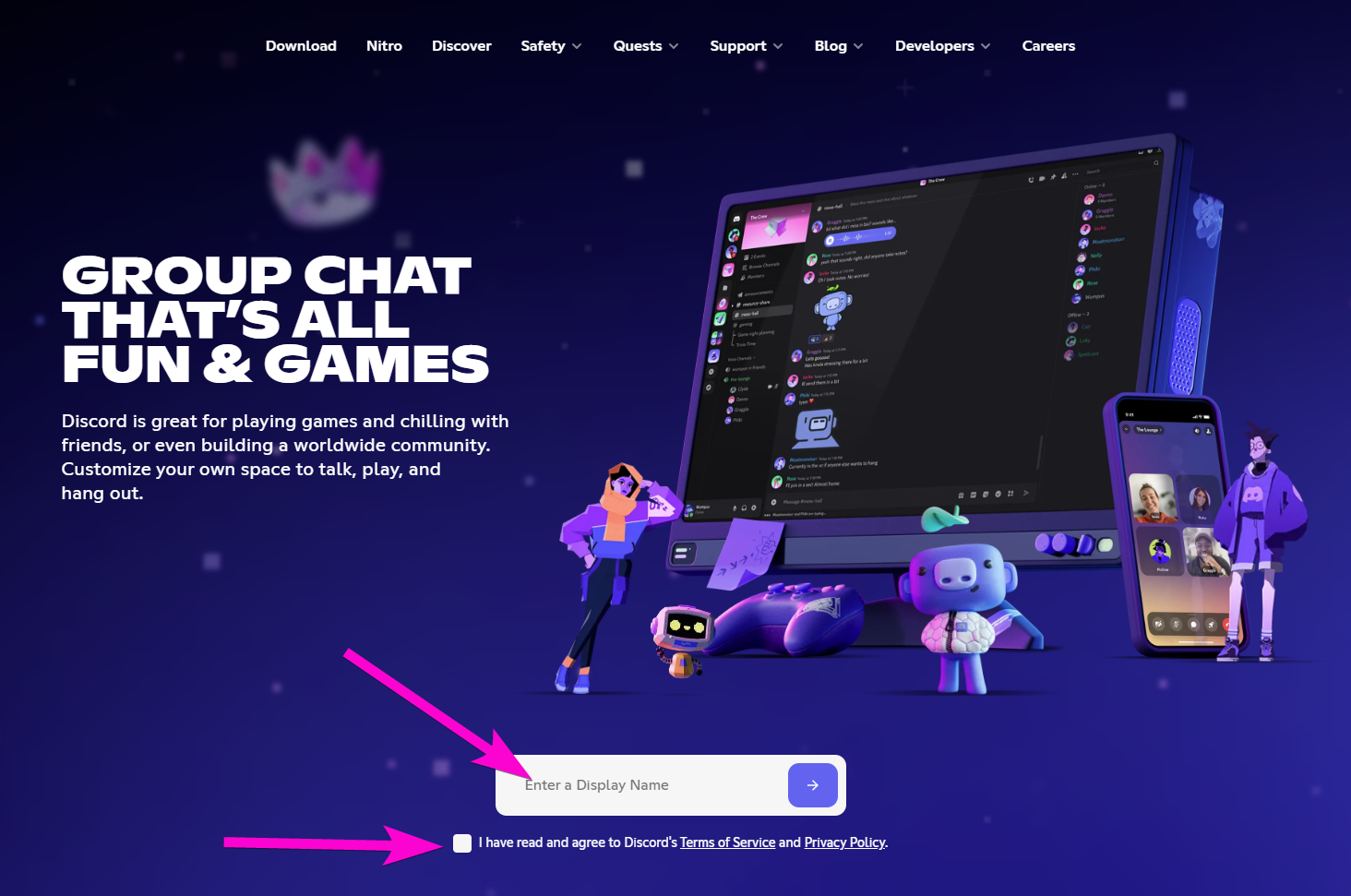
If you click on the Open Discord in your browser, you will get a prompt for a Display name.
This is your nickname or a name that others will be able to find you by on Discord.
Heads up: Unless your nickname is super unique, Discord might automatically add some numbers at the end.
Now that you are in, this notice will pop-up.
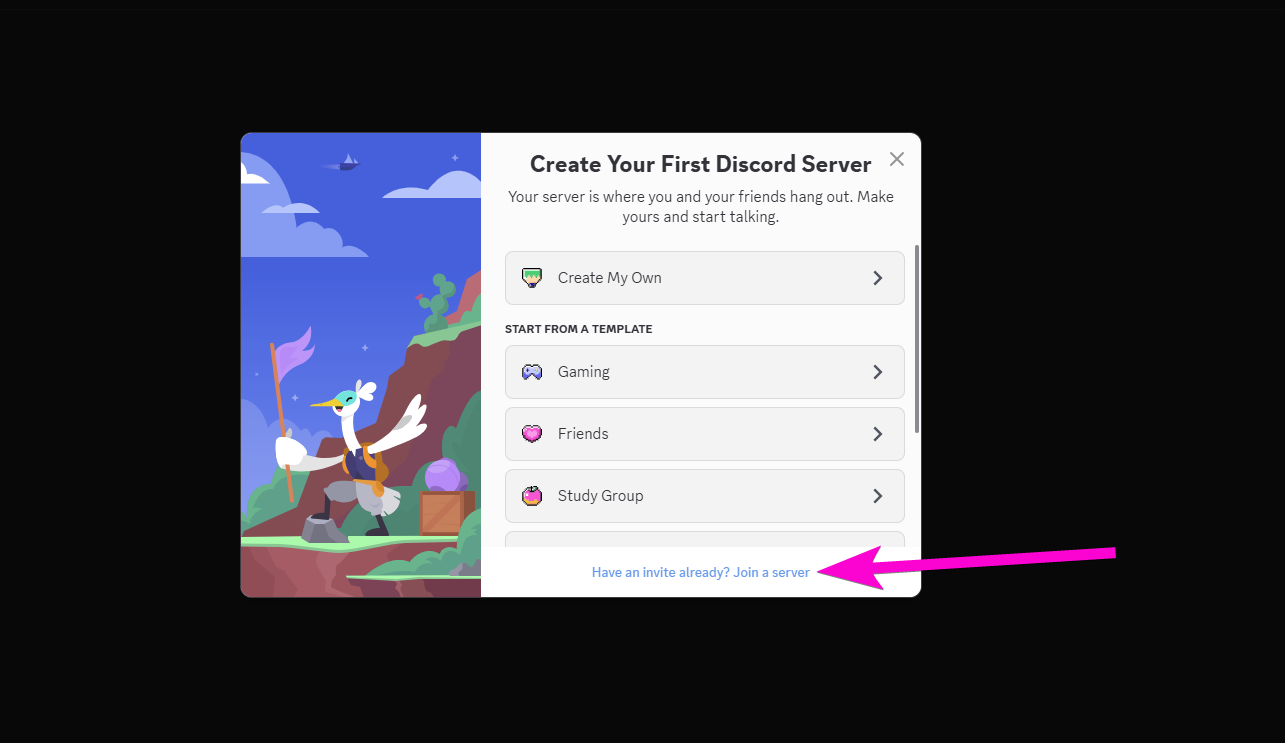
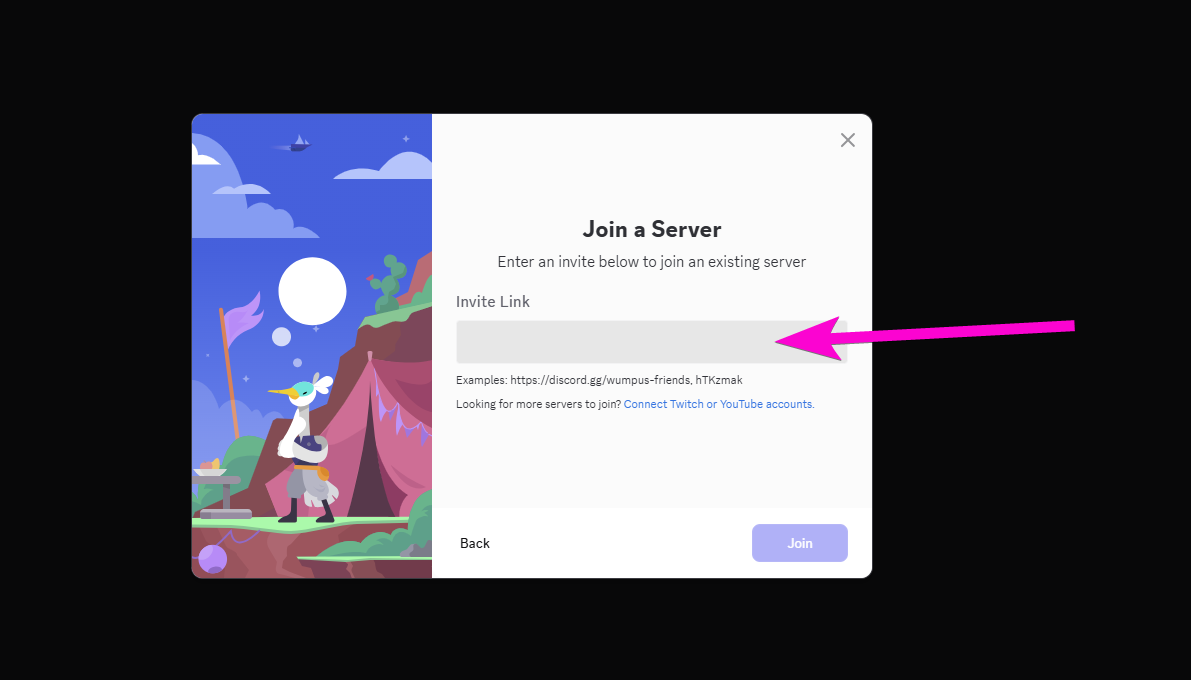
At the bottom, you’ll see an option to “Join a Server”.
There, simply paste the invitation link to hop right into our Discord community!
The mentioned Invitation link: https://discord.gg/tCaqQHCKGZ?utm_source=cm-button&utm_campaign=pc&utm_medium=web&utm_content=inapp-button
WHERE TO FIND PORT CITY CHANNELS
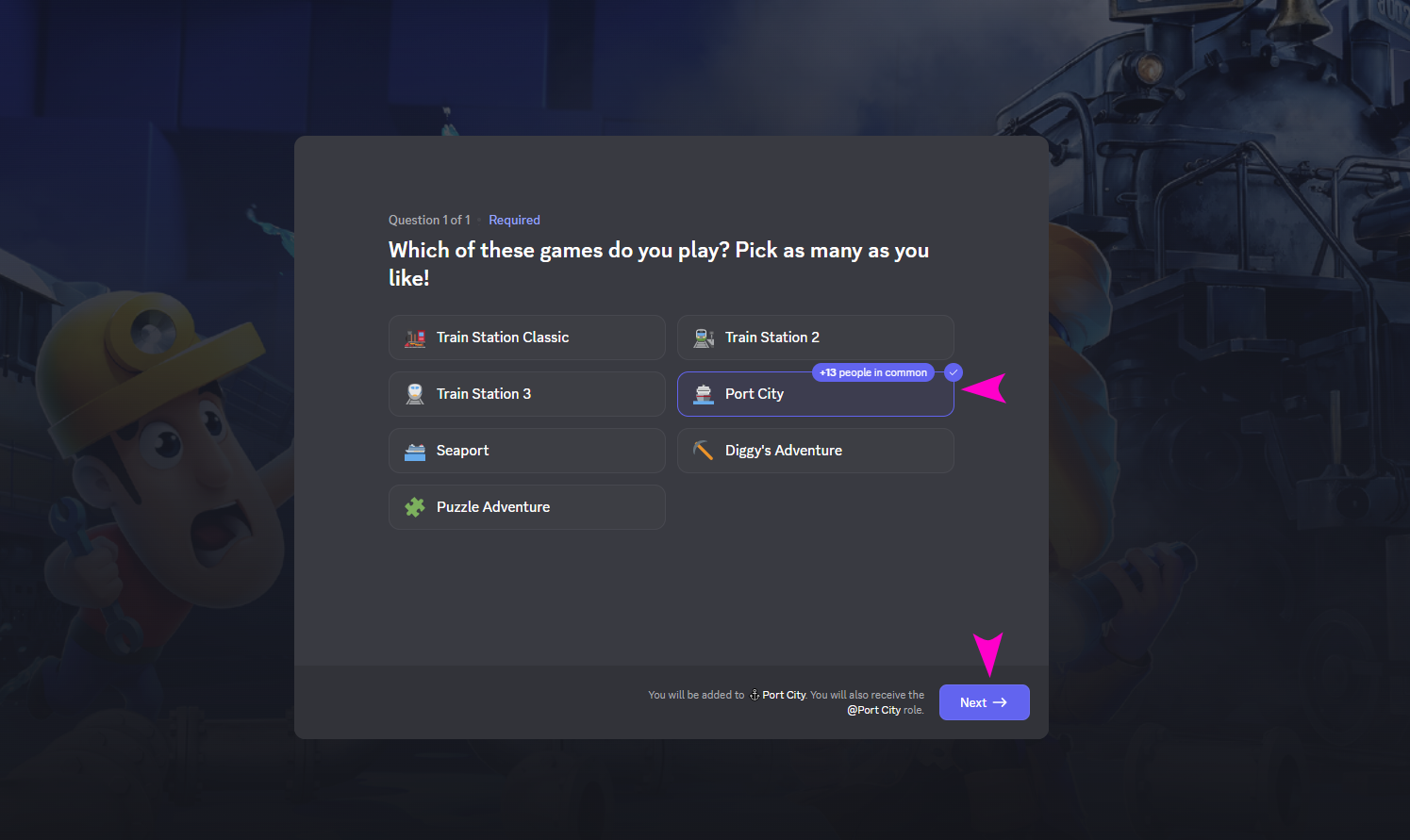
Once you enter the Discord server, you’ll see two quick pop-ups to get you started.
In the first one, you’ll be asked to choose the game(s) you’re interested in.
Make sure to select Port City to see Port City related channels, and then choose any others you play or want to follow!
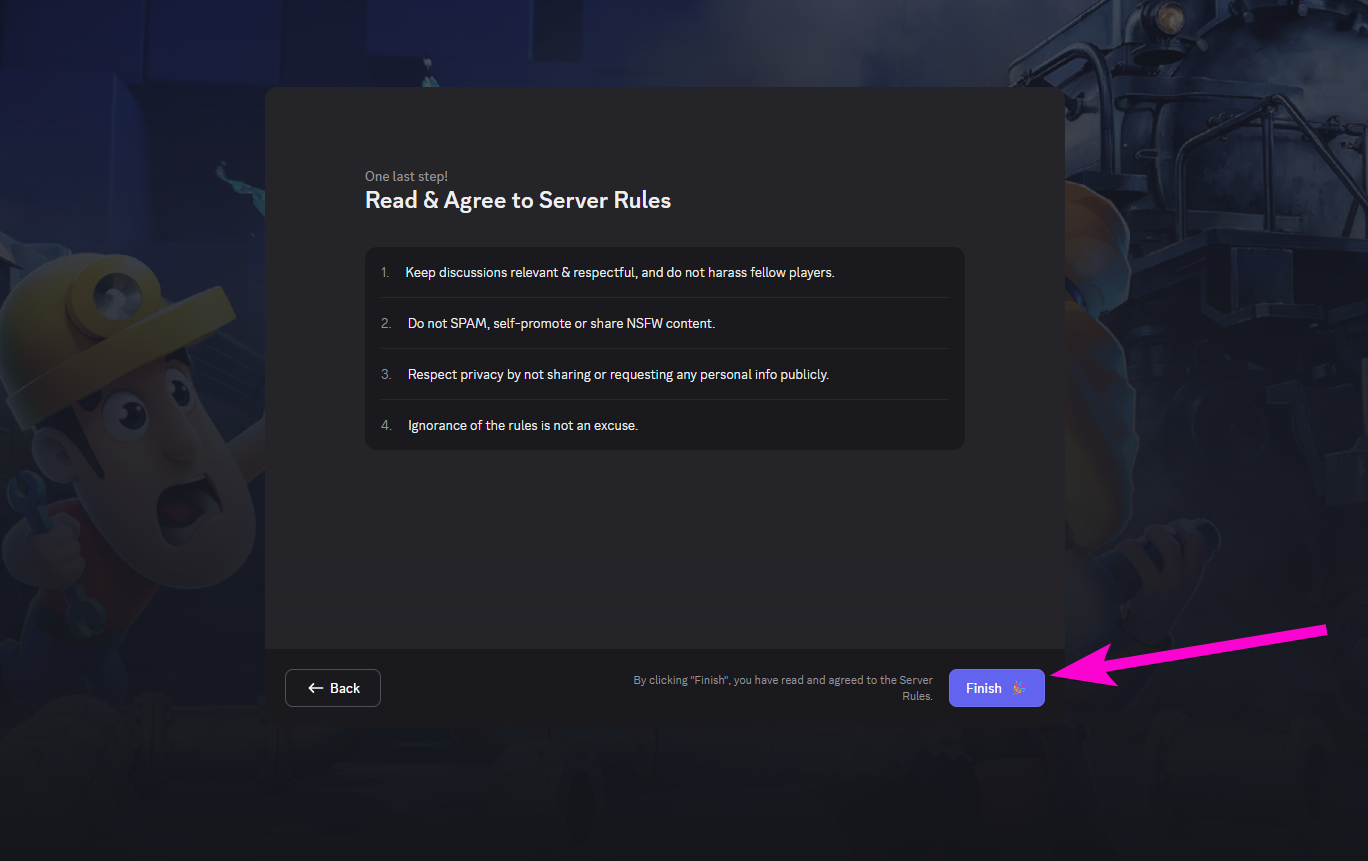
In the second one, you’ll see a short briefing with the server rules.
Give it a quick read to learn the ropes- it'll help you sail smoothly through our Discord waters!
WHAT TO CHECK IF YOU ARE NEW
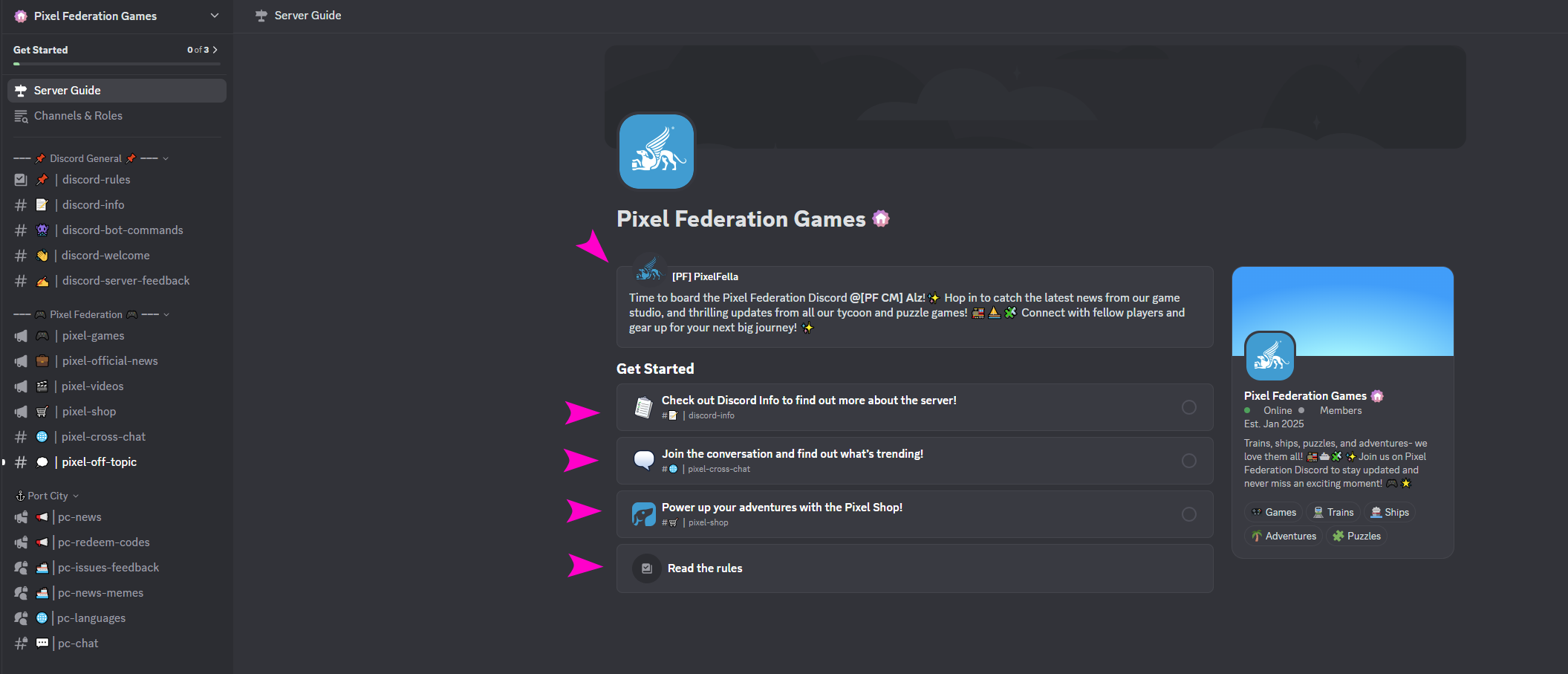
We recommend starting with the Get Started panel- it’s a great intro to how things work.
On the left side, you’ll see all the available channels- explore them and dive into the ones that catch your interest!
CAN'T COMMENT? VERIFY YOUR ACCOUNT
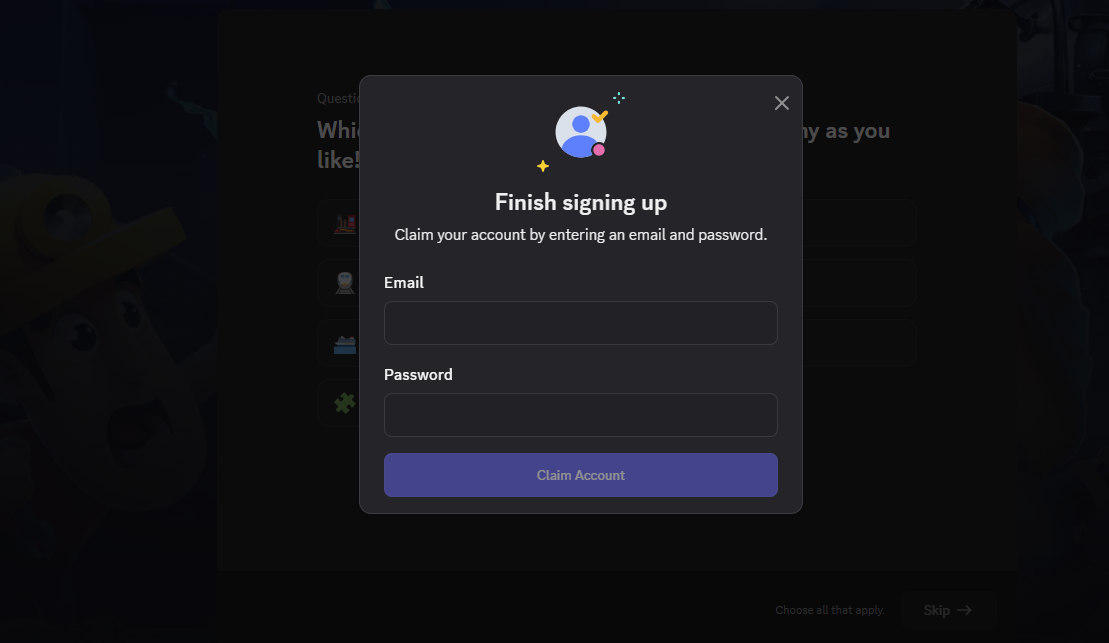
If you’ve joined the Pixel Federation Games server but can’t comment anywhere and see a notice like this:...

... Then make sure to verify your Discord account by adding a valid email and creating a secure password.
This step is essential to unlock full access and start chatting with the community!