How to contact Offer Wall support
Should it happen that the gems from the offer Wall are not being added to your game account, you can contact offer wall support directly.
Please note that this is a third-party responsible for its own support.
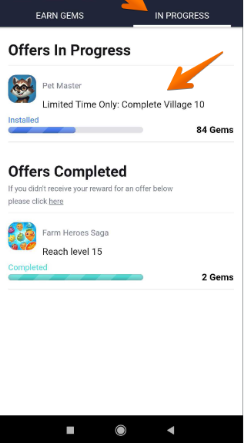
Open Puzzle Adventure, and go to the Gems icon. And get to the offer wall screen. Click on the "IN PROGRESS" tab
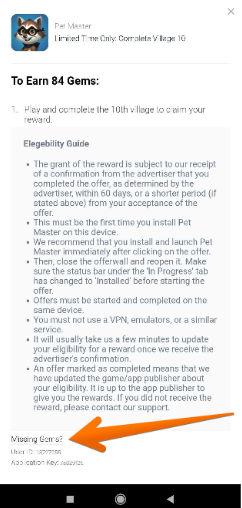
Tap on the reward that you did not receive
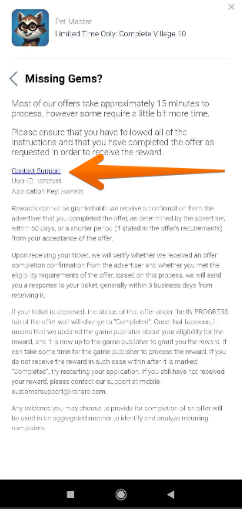
Tap on the "Missing gems?" hyperlink
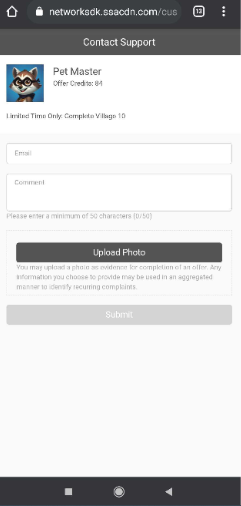
Tap on the "Contact Support" hyperlink
Please provide an email address preferably the one you use for Puzzle Adventure, fill in the message area with your issue, and provide a screenshot supporting your case.
If you have already contacted the support, please wait a few more days, if you won't get an answer or if you receive an answer that you are not happy with, please let us know and send us the number of the ticket that you have sent to the provider and some screenshots that would serve as proof that you qualify for the reward.