End of Facebook login/Facebook stopping game support
Dear sailors,
we would like to inform you that Facebook has announced that it will soon stop providing the necessary services and support required to keep our game running on their platform. As a result, it will no longer be possible to access or play the game via Facebook in the near future.
To ensure you can continue playing without any interruptions or loss of progress, we strongly recommend that you create an account on our official website, pixelfederation.com. Once you have registered a new account, please be sure to link your current game progress to this new registration. This will allow you to seamlessly continue your adventure, keep all your achievements, and enjoy any upcoming updates and events.
Please check the following guides to make sure you will go through the process smoothly. It is highly recommended to record your Player ID to make sure it stays at your disposal in case unexpected complications occur.
Registration process for Android devices
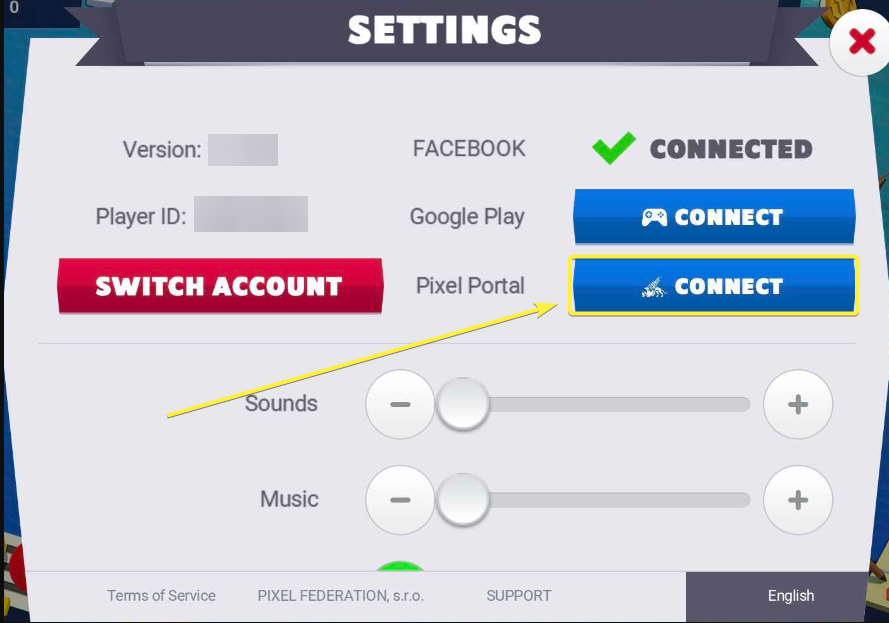
1. Go to Settings and create a Pixel Federation account by clicking on the Pixel Portal CONNECT button:
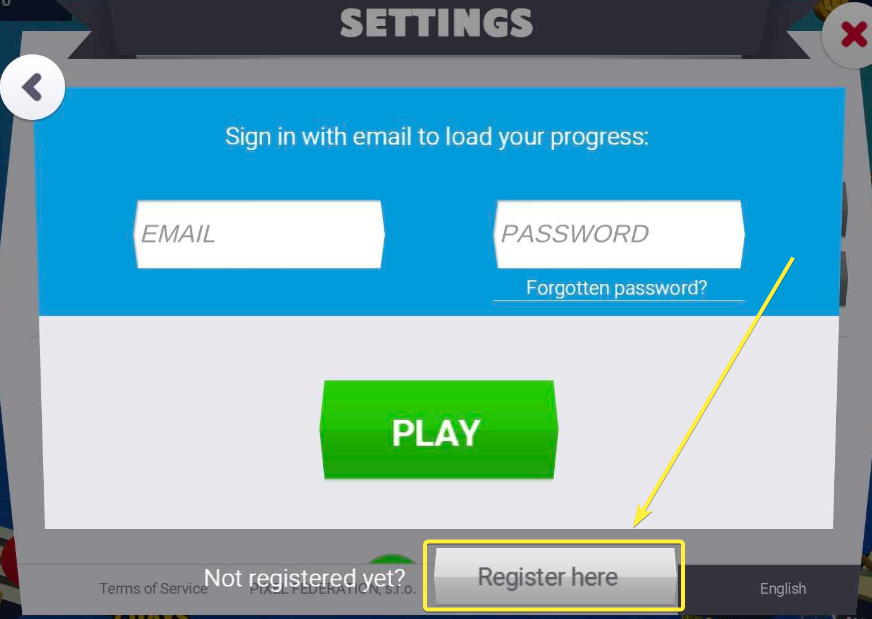
2. As player who has played solely through Facebook login, you have to register first by clicking on Register Here:
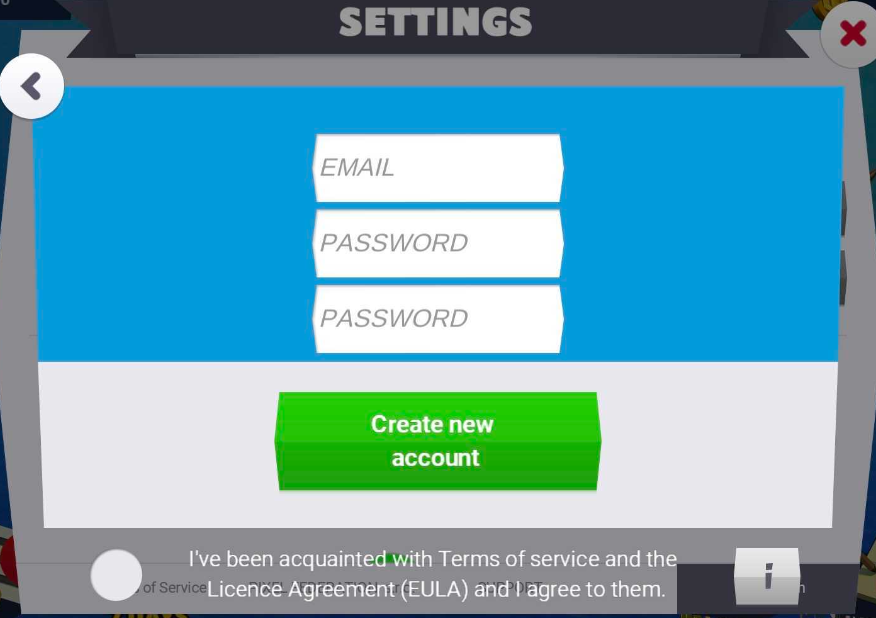
3. Provide an active e-mail address, type in a new password then hit Create New Account button:
4. Make sure, when given such an option, you select your original progress to transfer your game account to Portal
Registration process for iOS devices
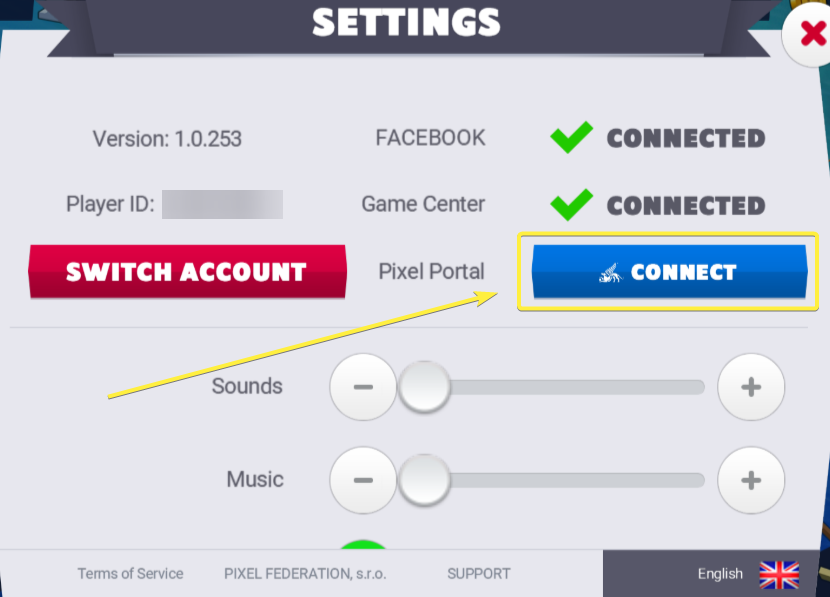
1. Go to Settings and create a Pixel Federation account by clicking on the Pixel Portal CONNECT button:
2. As a player who has played solely through Facebook login, you have to register first by clicking on Register Here:
3. Provide an active e-mail address, type in a new password, then hit Create New Account button:
4. Make sure, when given such an option, you select your original progress to transfer your game account to Portal
Registration process for Browser players
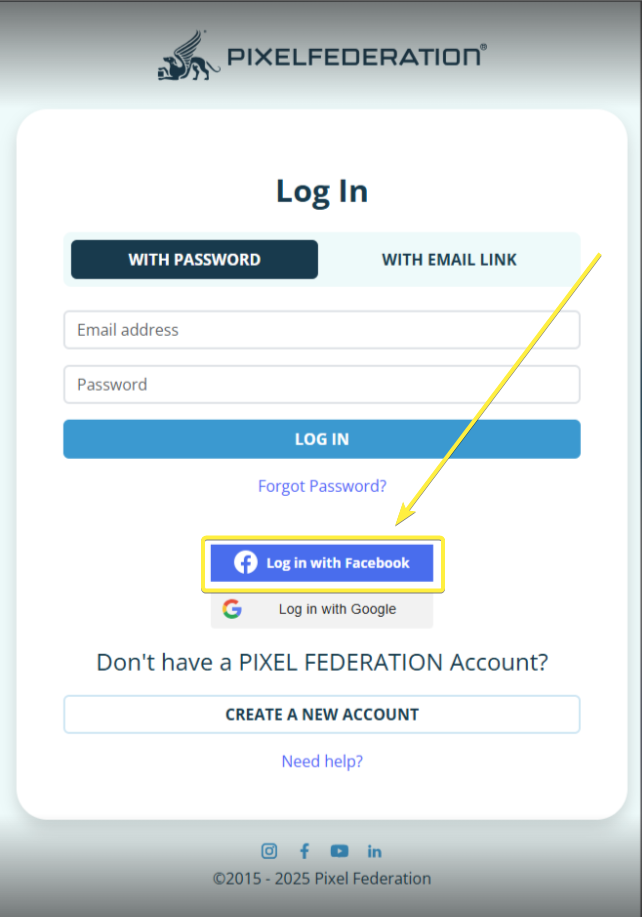
1. On pixelfederation.com click on Login with Facebook:
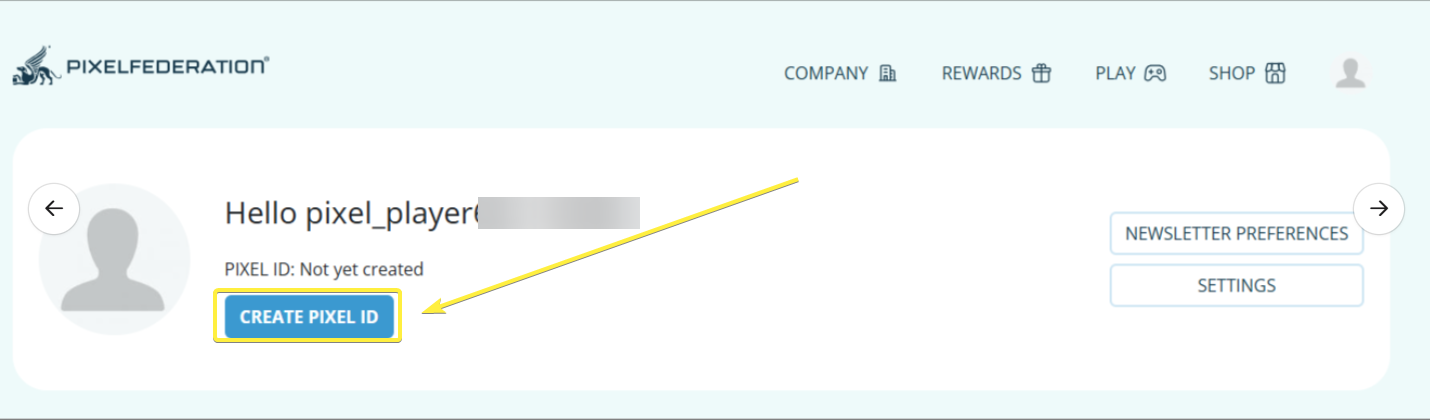
2. Open your profile and click on Create Pixel ID:
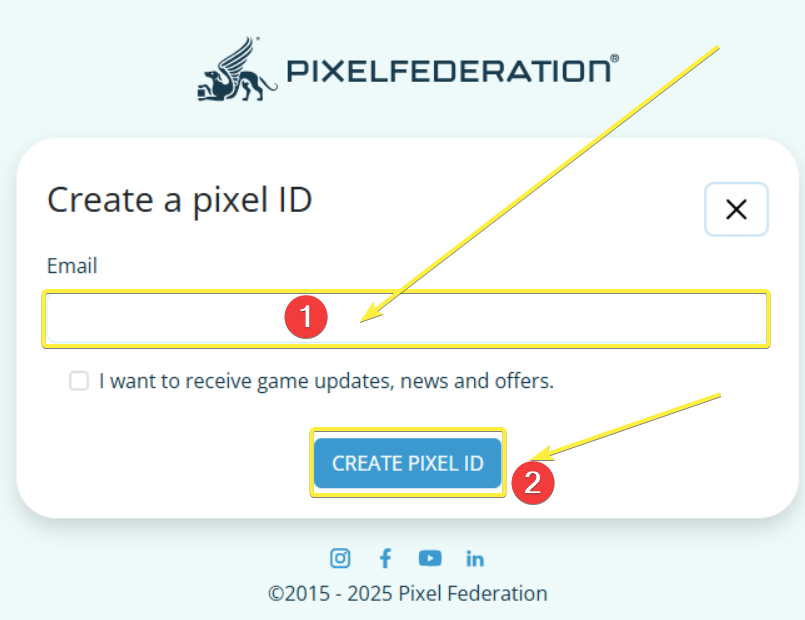
3. Enter your email address and hit Create Pixel ID again:
4. Make sure, when given such an option, you select your original progress to transfer your game account to Portal
We sincerely apologize for any inconvenience this may cause and appreciate your understanding as we adapt to these changes. Should you have any questions or need further assistance, please don’t hesitate to reach out to our Support Team.
Thank you for your continued support!