📱 How to Connect Original Progress Across Multiple devices 📱
Have you noticed that when you launch the game on a new device, you start from scratch without an option to connect to your main account? Then this guide is for you!
To log in to your existing Pixel ID account, you need to make a minor progress in the in-game tutorial to unlock and see the option to either register a new Pixel ID or log in to an existing one.
Make sure to register your Pixel ID on your original account or the one with your main progress. If you haven’t registered yet, please do so on that account before proceeding.
Once your main account is registered, follow these steps on your new device:
Play through the tutorial and unlock the Pixel ID sign up option.
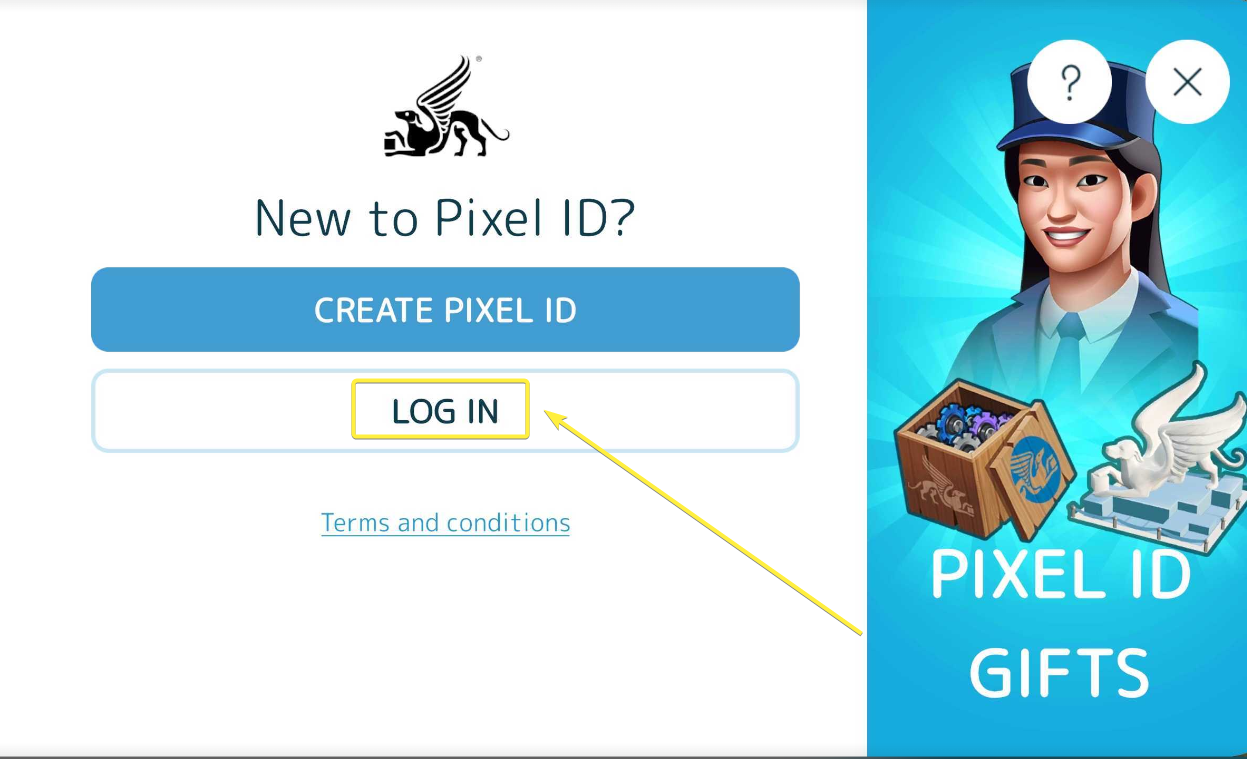
Select Log in to an existing Pixel ID.
Enter the email address linked to your main Pixel ID account.
Confirm and enjoy access to your original progress!
Here’s a screenshot to help guide you:
And that’s it! By following these steps, you can easily pick up where you left off, no matter which device you’re using. If you need further assistance, feel free to contact our support team!